Valorant Error Code VAN 79: Causes and Definitive Solutions

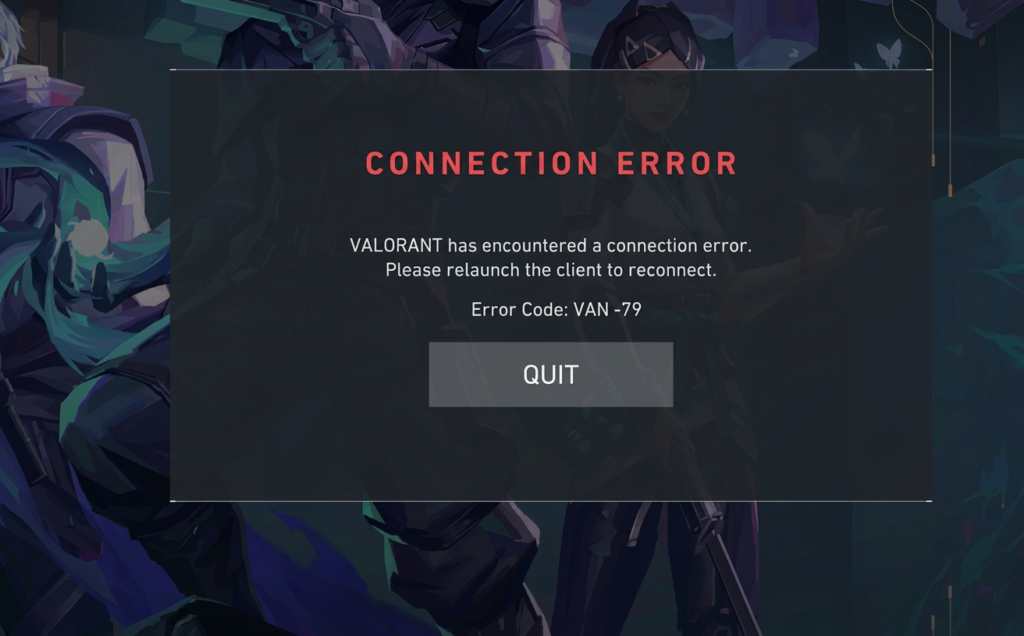
There’s nothing quite as annoying as losing your connection mid-match and being presented with an error code in pop-up form. Unfortunately for many of you, this may have been the Valorant error code VAN 79. If this has been happening, read on.
Why is this valorant error popping up, and what can you do to get it resolved?
In this article, we’ll dive into the causes of this issue and explain how to get it sorted out with a step-by-step going guide.
What is and why we are getting Valorant Error Code VAN 79?
As you might have gathered from the name, Valorant errors that start with VAN usually have something to do with the anti-cheat system Riot Games use for Valorant, called Riot Vanguard. Sometimes, though, these errors are simply down to a connection issue between your PC and the game server.
Error code VAN 79 means valorant has encountered a connection error , or perhaps there was an issue communicating with Vanguard software, a connection interruption could have happened suddenly, or Vanguard crashed.
In any case, these kinds of issues are usually temporary and relatively easy to fix. How to Fix Error Code VAN 79 Don’t lose all hope! The process to solve this connection error is actually quite straightforward and you just need to follow these steps:
1.Restart Game and Client For many connection errors that only pop up momentarily, you might find simply closing down and then reloading the game does the trick. – Close down Valorant. – Head over to task manager( Ctrl + Shift + Esc ) – Find anything that looks like ‘Valorant’ or ‘Riot Client’ and click ‘End task’. – Restart Valorant.
2. Restart Computer Riot Vanguard is complicated software that interacts with your system’s operating system in a low-level way.
In some situations, simply restarting your machine will clear out a small hiccup in the software and fix any underlying issue that it may have been experiencing.
- Check Your Internet Connection The VAN 79 error is fundamentally a connection issue, so you’ll likely need to troubleshoot your home network. – Shut down your modem/router, unplug it, and wait around 10 to 15 seconds. Plug it back in. – If you are connected via a Wi-Fi network, switch to a wired Ethernet cable connection if possible to rule out wireless transmission problems.
- Reinstall Riot Vanguard If the Vanguard installation has somehow been corrupted on your computer, then uninstalling and reinstalling it is a reliable solution. – Right-click on the red Vanguard icon that is usually located in the bottom-right hand corner of your monitor screen, in the taskbar, and then select “Exit Vanguard.” – Now open up the search bar from your taskbar, type “Add or remove programs,” and open up the control panel. – Go through the list of applications that you have installed and locate Riot Vanguard. – Select it, then click on “Uninstall.” – Now, when you restart the game, Valorant should realize that Vanguard is missing and install it again for you. – After that, be sure to restart your computer.
- Run Game as Administrator On occasion, certain security limitations within the operating system might prevent Vanguard or the game from connecting with the Valorant servers correctly. In these instances, running the game as an administrator can resolve the issue. – Right-click on the Valorant desktop icon, and choose “Run as administrator.”
Conclusion By following the advice above, you should be able to resolve the Valorant error code VAN 79 and get back to gaming in no time. If you still encounter issues after trying all of the troubleshooting methods, it’s likely the problem lies with the Riot Games servers and not your computer, in which case, you may want to check the status of Riot’s servers, or reach out to Valorant player support.